Hatch And Fry Getting Started
Your first hour on the farm restaurant, from Welcome badge to a working grill.
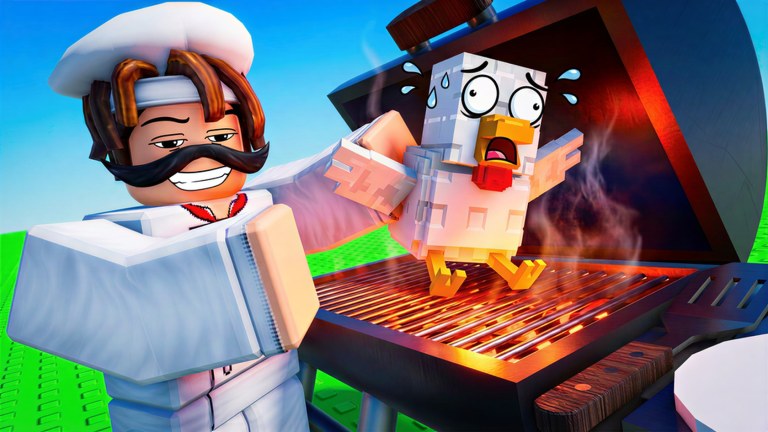
Hatch And Fry is Lemon’s Projects’ Roblox tycoon where a farm and a kitchen share one plot. You hatch eggs, raise animals, process them into meat, cook meals, and serve customers. Food keeps cooking and animals keep growing while you are offline. This beginner guide is the first-hour script. Specialist pages — hatch, process, cook, serve, money, controls, offline progress — wait until this loop feels automatic.
Minute 0–5: load in and claim the easy wins
- Join from the official game page. Servers hold 4 players; if the plot will not load, hop.
- The Welcome to Hatch and Fry badge is a freebie (it has been awarded to hundreds of thousands of accounts). You should see it after spawn.
- Find cash, eggs, and the grill on the HUD. If buttons do nothing, open controls.
- Open the codes panel and redeem RELEASE for a cash boost. Exact clicks: how to redeem. Do this before you spend starter cash on the wrong station.
Minute 5–15: hatch something that can become dinner
Buy or claim your first eggs and hatch them. Official art is the best hint we have for what “good” looks like: chickens for speed, cattle and buffalo for steak lines, dinosaurs as rare flex eggs. Do not hunt the rex nest on minute six. Fill pens with animals you can process today. Details and ranks: how to hatch and the animal tier list.
Leave animals on the plot so growth starts. The description is explicit: they grow and earn while you are away. An empty pen is a wasted offline tick.
Minute 15–30: process, grill, serve
When an animal is ready, process it into meat, then get that meat on the fire. The first-person grill shot on the Roblox page is the fantasy: tongs, spatula, steak, flames. Your job is to keep that picture true. Customers only pay for cooked meals. Walk the serve path until Served 10 Customers pops — that badge is also a freebie for anyone who finishes the tutorial loop. One hundred customers is the first “hard” badge (about 15% of players). Chase it later with how to process, how to cook, and how to serve.
If the grill is idle, hatching more eggs will not save you. If the grill is full but nobody is eating, you need customer flow or 2x Customer Eat Speed, not more cows. Rank those problems with the money guide.
Minute 30–60: spend, then leave clean
Spend the RELEASE window on the bottleneck you felt, not on cosmetics. Typical first unlocks: more hatch capacity, another grill slot, or a processing station. Robux can wait. If you already know you will AFK, read Auto Collect before you tap 2x Cash.
Before you quit:
- Pens filled
- Grill queued
- Cash collected or Auto Collect on
- Next session goal written down (Served 100, a new animal tier, or a pass)
That is a legal auto farm close-out. No executor required.
What not to do in hour one
- Do not skip RELEASE because you “will do codes later.” Later you will forget.
- Do not buy VIP on a first impression. Play the loop; then use the planner.
- Do not paste a Hatch And Fry script. The scripts hub is empty of confirmed tools for a reason.
- Do not treat this wiki as official. Confirm shocks on the Roblox page and the Lemon’s Projects group.
- Do not follow a The Hatch egg-hunt video. Wrong game: Hatch And Fry vs The Hatch.
When hour one is done, pick the specialist guide that matches the pain: empty nests, cold grill, or thin wallet. Before a long break, use the offline progress checklist so pens and the grill actually tick.
Frequently Asked Questions
Quick answers for Hatch And Fry players.
How do I start Hatch And Fry?
Join the Roblox experience, redeem RELEASE, hatch eggs, process meat, cook, and serve. Follow the minute-by-minute list above.
What is the first badge?
Welcome to Hatch and Fry, then Served 10 Customers. Thresholds: badges.
Does the tutorial work on mobile?
Yes. Use controls if you cannot find the codes button.
Should I buy gamepasses in the first hour?
Usually no. Claim the code, learn the loop, then open the gamepass planner.