Hatch And Fry Controls
PC, mobile, and console inputs for hatch, cook, and redeem.
Hatch And Fry uses standard Roblox movement plus tycoon prompts on a 4-player plot. If you cannot open the codes box or the grill, the problem is almost always the HUD, not the economy. This page is the input map. After it works, go back to Getting Started or how to redeem.
PC (keyboard and mouse)
| Input | Action |
|---|---|
| W A S D | Move around the farm and restaurant |
| Space | Jump |
| Shift | Sprint (if enabled on your Roblox avatar) |
| Mouse | Look / rotate camera |
| Left click | Select HUD buttons, shop cards, codes Redeem |
| E | Interact with nests, processors, grills, counters |
| Esc | Roblox menu (leave, reset, settings) |
| F or backpack key | Inventory, if the experience uses one |
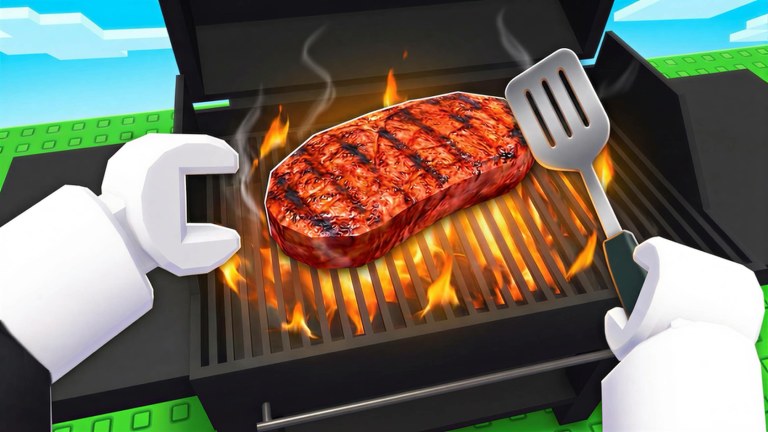
Stand close to a station until the interact billboard appears. Spamming E from the other side of the grill does nothing. First-person is useful at the fire (the official steak thumbnail is literally that view); third-person is better for finding pens.
Mobile
| Input | Action |
|---|---|
| Left thumb stick | Move |
| Jump button | Jump |
| Drag on the right | Camera |
| Tap | HUD, shop, Redeem |
| Tap-and-hold near a station | Interact when no E key exists |
Rotate the device to landscape if the codes field is covered by the jump button. Paste RELEASE from this wiki; the mobile keyboard loves to add a space. After redeeming, lock the screen from sleep only if you intend to stay in the experience. Offline cooking is what happens after a clean leave, not during a locked overlay — auto farm.
Console
Use the left stick to move, right stick to look, A / Cross to confirm HUD, and the interact button your Roblox settings map (often X / Square or Y). Console players should open the codes field with the on-screen keyboard and paste if the platform allows; typing RELEASE in all caps is safer than guessing glyphs.
HUD buttons you actually need
- Cash counter — top of the screen in most tycoons.
- Codes / gift — edge of the HUD. Full path: how to redeem.
- Shop / passes — 2x Cash, Auto Collect, VIP, jars. Prices on gamepasses.
- Inventory / eggs — hatch input. See how to hatch.
If a button is missing, the UI scaled off a small phone. Lower Roblox graphics, hide the chat, and retry. Do not download a “HUD unlock script.” That is the safety trap.
Camera and plot layout
The plot is split in marketing art: farm (cows, buffalo, nests, dinosaurs) on grass, kitchen (grill, chef, steaks) beside it. When you are lost, zoom out and look for smoke. Smoke means the grill — how to cook. A nest under a large creature is the hatch fantasy, not the cash register.
Shift-lock on PC can make serving easier because your facing direction stays stable at the counter. Turn it off if you keep walking into pens.
Accessibility and lag
- Lower graphics if the 4-player server hitches while cooking.
- Enable Roblox’s experience settings for reduced motion if menus strobe.
- Private servers are not listed as enabled on the universe at the time of writing (
createVipServersAllowed: false). Hop public servers instead.
Once movement and interact work, you do not need this page again until a patch remaps the HUD. Check updates if buttons vanish after the September Big Update. Then return to how to make money — controls never printed a steak by themselves.
Frequently Asked Questions
Quick answers for Hatch And Fry players.
What is the interact key in Hatch And Fry?
E on PC. Tap the station on mobile. Console uses the Roblox interact binding. Stand close until the prompt appears.
How do I open codes on mobile?
Tap the Codes or gift icon on the HUD. Paste RELEASE. Landscape mode helps if the field is covered.
Can I use a controller on PC?
Yes, through Roblox’s controller support. Confirm still has to hit the on-screen Redeem button.
Why can I not click the grill?
Another HUD element is on top, or you are too far away. Zoom out, hide chat, walk closer, then click or press E.